 Sign In
 Designer - Barcode Tool
 The Barcode Tool in IDpack Designer allows you to add barcodes to your badge designs and link them to dynamic fields. You can customize barcode colors and choose from various formats, including Interleaved 2 of 5, Code 39, Code 128, UPC-A, QR Code, and more.
Barcodes are commonly used on ID cards and badges to encode information for fast, accurate scanning. They can be used for employee identification, event registration, attendance tracking, inventory management, and access control. Choosing the appropriate format depends on the data being encoded, available space, and scanner compatibility.
Understanding Barcode Formats
Barcodes are divided into two main categories: 1D (Linear) and 2D (Matrix).
- 1D Barcodes use parallel lines and spaces of varying widths to represent data. They are commonly used for numeric or alphanumeric identifiers, such as employee numbers, membership IDs, and serial numbers. Examples include Code 39, Code 128, EAN-13, and UPC-A.
- 2D Barcodes encode information in both horizontal and vertical dimensions, allowing more data to be stored in a compact area. QR Codes are among the most widely recognized 2D formats.
QR Codes
QR Codes (Quick Response Codes) can store larger amounts of information than traditional linear barcodes. They are particularly useful for encoding URLs, structured data, and unique identifiers.
Common applications include:
- Website links - Direct users to websites, registration pages, or online portals.
- Contact information - Share contact details using vCards.
- Event registration - Identify attendees and validate registrations.
- Access control - Encode identifiers used by compatible verification systems.
- Badge verification - Use QR Codes with IDpack Checkpoint to verify badge information and access permissions.
Choosing the Right Barcode
Selecting the appropriate barcode format is important for reliable scanning and compatibility with your systems. Consider the following factors:
- Data type - Use 1D barcodes for simple numeric or alphanumeric identifiers. QR Codes are better suited for longer values, URLs, or structured information.
- Available space - Consider the amount of data, barcode dimensions, and required quiet zones. A 1D barcode may be more efficient for short identifiers, while a QR Code can accommodate more information in a compact area.
- Scanner compatibility - Make sure your barcode scanner supports the selected format. Traditional laser scanners typically read only 1D barcodes, while 2D imaging scanners can generally read both 1D and QR Codes.
- Application requirements - Some systems require specific barcode formats or data structures. Verify these requirements before creating your badge design.
Best Practices
To ensure consistent and reliable barcode scanning, follow these recommendations:
- Maintain quiet zones - Leave sufficient blank space around the barcode to prevent scanning errors.
- Use high contrast - Dark barcodes on a light background, such as black on white, generally provide the best results.
- Avoid distortion - Maintain the correct barcode proportions and avoid stretching or compressing the image.
- Choose an appropriate size - Ensure the barcode is large enough for the intended scanning distance and printer resolution.
- Test before production - Print sample badges and verify that your scanners can read the barcodes reliably.
Barcode Integration in IDpack
In IDpack Designer, barcodes can be linked to dynamic fields in your project. This allows each printed badge to contain unique information, such as an employee ID, membership number, or registration identifier.
Barcodes can also be integrated with compatible external systems for attendance tracking, identification, and access control. QR Codes used with IDpack Checkpoint can provide badge verification and access authorization capabilities.
Supported Barcode Formats
The following table lists the barcode formats available in IDpack Designer, along with their descriptions and types.
| Format Name | Description | Type |
|---|---|---|
| CODABAR | Codabar (rationalized) - numbers and A B C D - $ : / . + 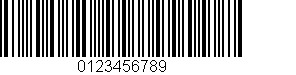 | varchar |
| CODE 11 | Digits 0–9 and the dash character 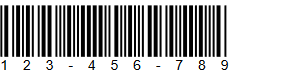 | decimal |
| CODE 128 Default | Code 128 is a high-density linear barcode symbology for alphanumeric or numeric-only barcodes. It can encode all 128 ASCII characters. It generally results in more compact barcodes than other methods like Code 39, especially when the texts contain mostly digits. 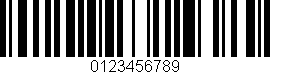 | varchar |
| CODE 128 A | Code 128A - upper case, numbers, punctuation and control characters 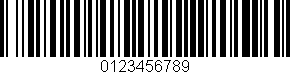 | varchar |
| CODE 128 B | Code 128B - upper and lower case, numbers and punctuation 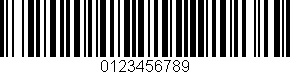 | varchar |
| CODE 128 C | Code 128C - numbers only 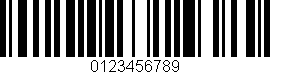 | decimal |
| CODE 39 | Code 3 of 9 (also called Code 39) - numbers, upper case, and - . * $ / + % 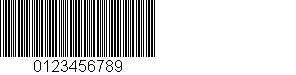 | varchar |
| CODE 39 EXTENDED | Extended 3 of 9 (also called Extended Code 39) - full ASCII character set 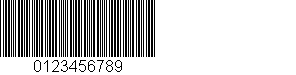 | varchar |
| CODE 93 | Code 93 - numbers, upper case, and - . * $ / + % 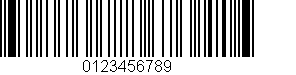 | varchar |
| EAN-13 | 13-Digits UPC-Based Extension - numbers only 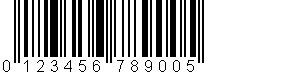 | decimal |
| EAN-2 | 2-Digits UPC-Based Extension - numbers only  | decimal |
| EAN-5 | 5-Digits UPC-Based Extension - numbers only 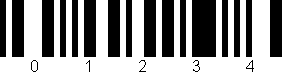 | decimal |
| EAN-8 | 8-Digits UPC-Based Extension - numbers only 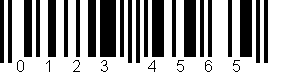 | decimal |
| Interleaved 2 of 5 | Interleaved 2 of 5 - numbers only  | decimal |
| MSI | Variation of Plessey code 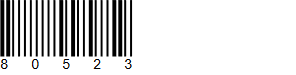 | decimal |
| PHARMACODE | Pharmaceutical Binary Code 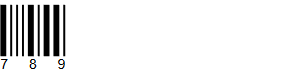 | decimal |
| PHARMACODE TWO-TRACKS | Pharmaceutical Binary Code - 2 Tracks 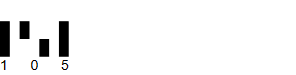 | decimal |
| PLANET | The Postal Alpha Numeric Encoding Technique 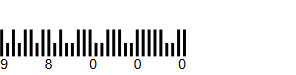 | decimal |
| POSTNET | Postal Numeric Encoding Technique 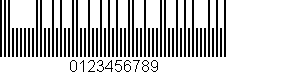 | decimal |
| RMS4CC | Royal Mail 4-state Customer Code 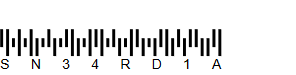 | varchar |
| Standard 2 of 5 | 2 of 5 - numbers only 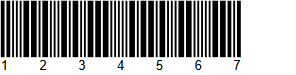 | decimal |
| UPC-A | UPC-A - numbers only (11 numbers and a check digit) 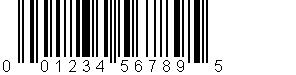 | decimal |
| UPC-E | UPC-E - numbers only - used for zero-compression UPC symbols.  | decimal |